
IPTV freezing is the most common problem users experience while watching live TV, sports, movies, or TV series. Nothing is more annoying than your favorite channel stopping in the middle of an important match or movie scene.
The good news is that IPTV freezing can usually be solved with a few simple steps. In this, you will see what causes IPTV freezing, how to fix it, and how to control it in the future.
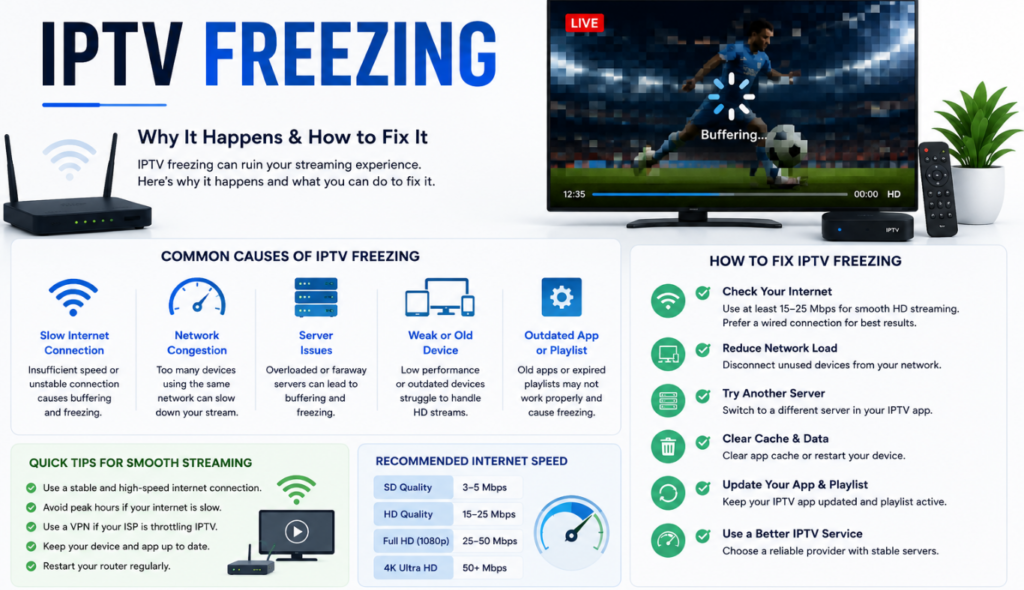
What Is IPTV Freezing?
IPTV freezing happens when your video pauses, buffers, or stops playing while you’re streaming content.
Common signs include:
- Video freezes suddenly
- Buffering every few seconds
- Audio continues but video stops
- Black screen appears
- Channels load very slowly
- Playback becomes choppy or laggy
Why Does IPTV Keep Freezing?
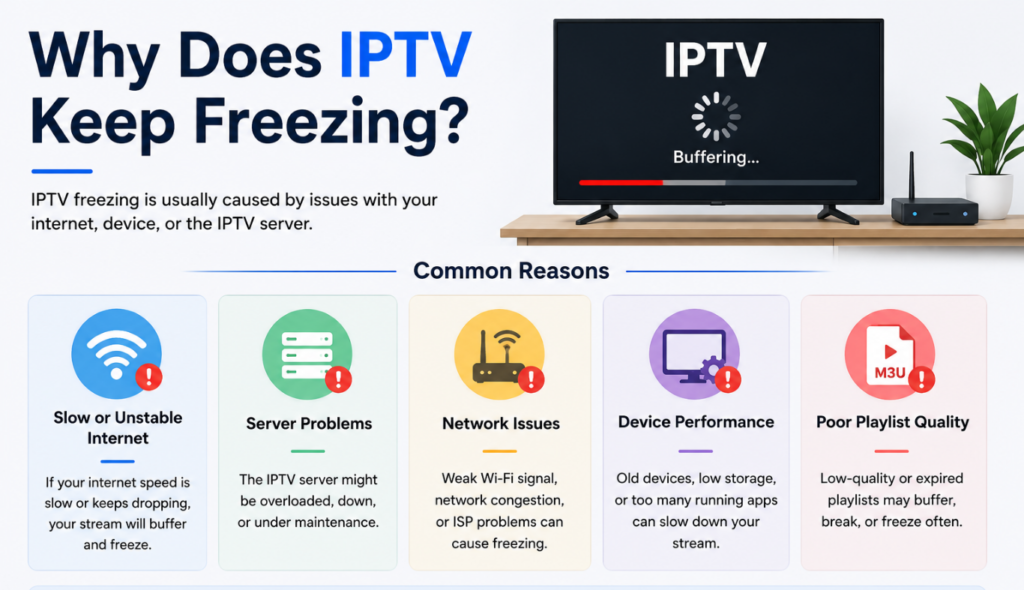
Weak Wi-Fi Signal
If your streaming device is far from the router, your connection may become unstable.
Common reasons include:
- Weak Wi-Fi coverage
- Thick walls
- Too many connected devices
- Wireless interference
IPTV Server Overload
Sometimes the problem isn’t your internet.
IPTV servers can become overloaded during:
- Premier League matches
- UFC events
- Boxing fights
- Major sporting events
- Peak evening hours
Outdated IPTV Appcation
Old IPTV apps may contain bugs or compatibility issues.
Updating your IPTV player can provide:
- Better performance
- Faster loading
- Improved stability
- Bug fixes
- Better channel support
Device Performance Problems
Older or overloaded devices may struggle with streaming.
Common issues include:
- Low RAM
- Full storage
- Too many background apps
- Outdated software
- Device overheating
How to Fix IPTV Freezing
Check Your Internet Speed
The first thing you should do is test your internet connection.
If your speed is lower than expected:
- Restart your modem
- Restart your router
- Disconnect unused devices
- Contact your internet provider if needed
Restart Your Streaming Device
Many temporary issues disappear after a simple restart.
Restart:
- Firestick
- Android TV
- Smart TV
- Windows PC
- IPTV Box
- Mobile device
Use an Ethernet Connection
A wired connection is always more reliable than Wi-Fi.
Benefits include:
- Faster speeds
- Stable streaming
- Lower latency
- Less buffering
- Better 4K performance
Clear IPTV App Cache
Over time, cached files can slow down your IPTV player.
To improve performance:
- Open device settings
- Go to Apps
- Select your IPTV app
- Tap Clear Cache
- Restart the app
Update Your IPTV Player
Developers regularly release updates that improve performance.
Benefits of updating include:
- Bug fixes
- Better compatibility
- Faster playback
- Improved streaming quality
- Increased stability
Reduce Streaming Quality
If your internet isn’t fast enough, lowering the video quality can help.
Try switching:
- 4K to Full HD
- Full HD to HD
- HD to SD
Best Ways to Prevent IPTV Freezing
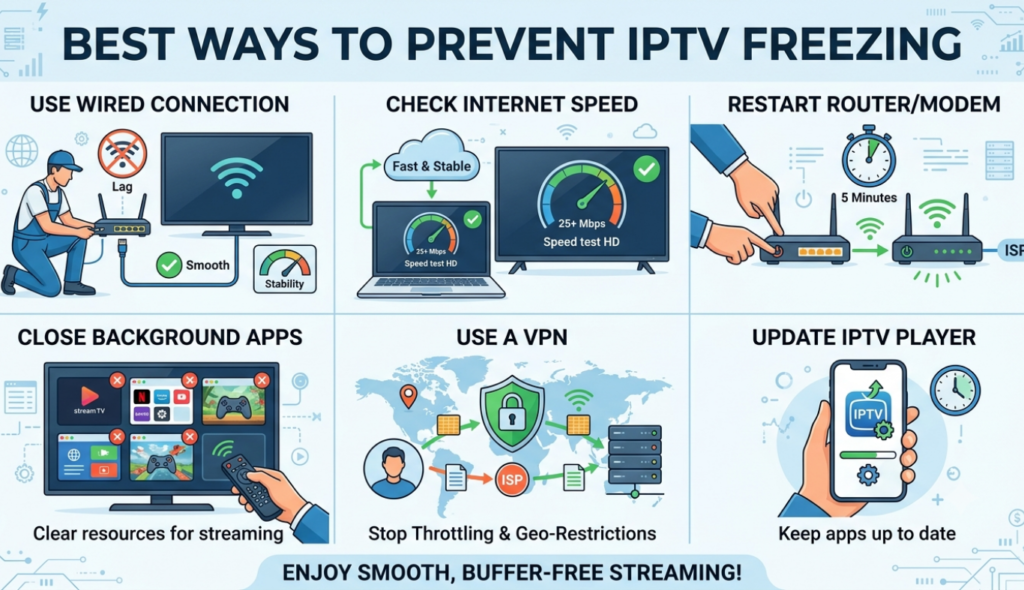
Preventing problems is always better than fixing them.
Follow these tips:
- Use high-speed internet
- Restart your router every week
- Keep your IPTV app updated
- Keep your device software updated
- Close unnecessary background apps
- Free up device storage
- Use Ethernet whenever possible
- Avoid downloading large files while streaming
- Restart your device regularly
- Choose a reliable IPTV service
Does a VPN Help Stop IPTV Freezing?
A VPN may help in some situations.
It can:
- Reduce ISP throttling
- Improve connection stability
- Protect your online privacy
- Improve access to some streams
IPTV Freezing vs IPTV Buffering: What’s the Difference?
IPTV Freezing
- IPTV freezing means the video completely stops playing.
- The screen may become stuck on one frame.
- Audio may stop or continue while the picture is frozen.
- It usually happens because of:
- Unstable internet connection
- Device performance issues
- IPTV server problems
- App errors
IPTV Buffering
- IPTV buffering happens when the video pauses to load more data.
- You may see a loading circle before playback continues.
- It usually occurs because of:
- Slow internet speed
- Network congestion
- High-quality streams requiring more bandwidth
- Too many devices using the same connection
- Improving internet speed or reducing video quality can help reduce buffering.
Best Devices for Smooth IPTV Streaming
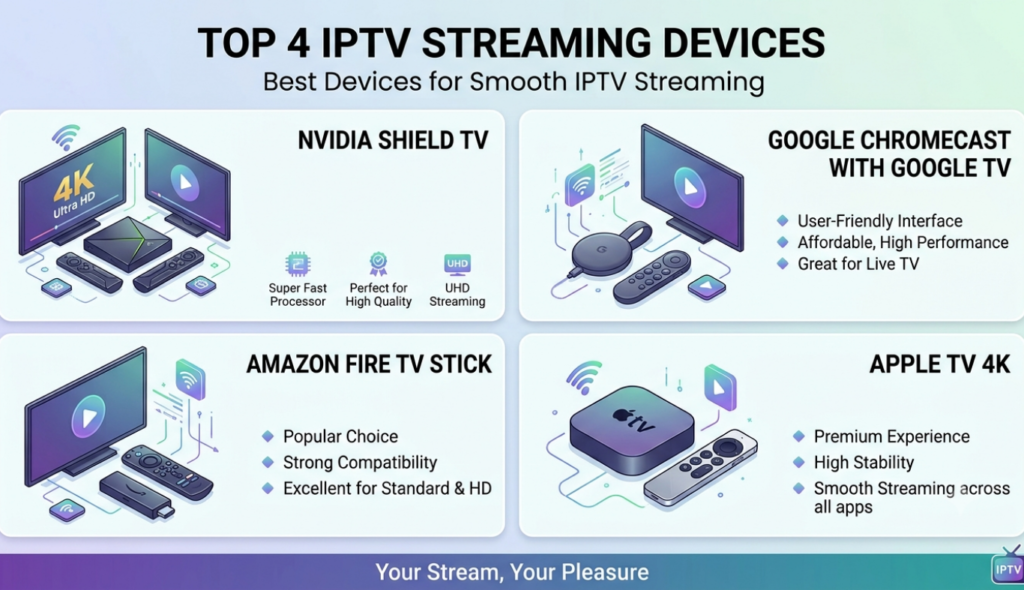
Some devices offer better IPTV performance than others.
Popular options include:
- Amazon Fire TV Stick
- NVIDIA Shield TV
- Google TV devices
- Android TV Boxes
- Smart TVs with modern processors
- Windows PCs
- Mac computers
IPTV Freezing Troubleshooting Checklist
Before contacting support, check the following:
- Internet connection is stable
- Router has been restarted
- IPTV app is updated
- Device software is updated
- Cache has been cleared
- Storage has enough free space
- Background apps are closed
- Ethernet connection has been tested
- VPN has been tested (if using one)
- IPTV server isn’t experiencing heavy traffic
How to Choose an IPTV Service That Minimizes Freezing
- Look for Stable Servers
- Check Customer Support Availability
- Read User Reviews
- Test with a Free Trial
Conclusion
IPTV freezing is a common issue, but it does not have to destroy your streaming experience. In most cases, the problem can be solved by improving your internet connection, updating your IPTV app, using an Ethernet connection, clearing the cache, and keeping your device optimized.
By following the tips, you can lower buffering, stop freezing, and enjoy smoother, more reliable IPTV streaming. Regular maintenance and a stable internet connection are important for the best IPTV experience every time.
FAQS
1. Why does my IPTV keep freezing?
IPTV freezing usually happens because of slow internet, weak Wi-Fi, server issues, or device problems.
2. How fast internet do I need for IPTV?
For smooth IPTV streaming, higher speed is recommended for HD content.
3. Can a VPN fix IPTV freezing?
A VPN may help if your internet provider is limiting streaming speed.
4. Why does IPTV freeze during live sports?
Live sports can cause freezing because many users access the same stream at once.
5. Is Ethernet better than Wi-Fi for IPTV?
Yes, Ethernet provides a more stable and reliable connection than Wi-Fi.
6. How can I stop IPTV buffering?
Restart your router, clear app cache, update your player, and improve your internet connection.
7. Does the IPTV app version affect freezing?
Yes, outdated apps can cause playback issues and should be updated regularly.
8. Can an old device cause IPTV freezing?
Yes, older devices with low memory may struggle with high-quality streaming.
9. Does clearing cache improve IPTV performance?
Yes, clearing cache can remove temporary files and improve app performance.
10. When should I contact IPTV support?
Contact support if freezing continues after checking your internet, device, and app settings.